
Tips for Creating a Cozy and Inviting Home Office Space
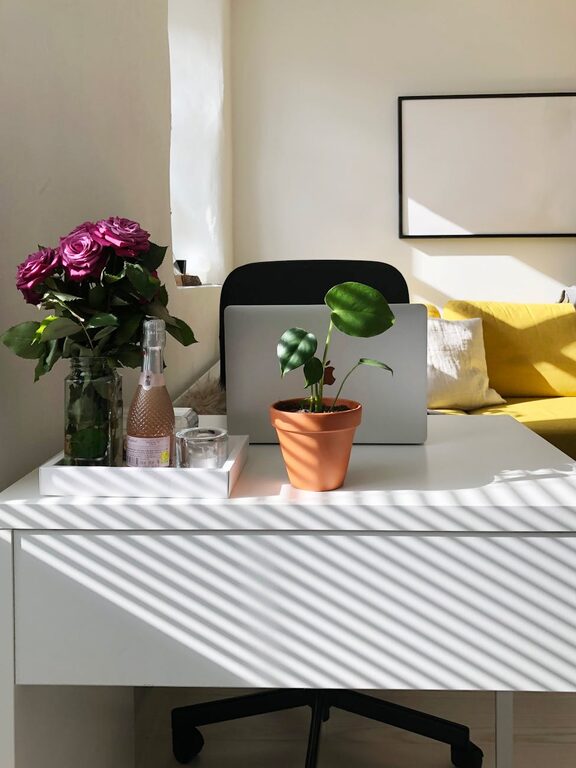
Creating a cozy and inviting home office space can significantly improve your work experience. Whether you work remotely full-time, freelance occasionally, or just need a quiet corner for personal projects, a well-designed office helps you stay focused, relaxed, and motivated. Here are some practical tips to help you transform any area into a comforting and productive workspace.
Choose the Right Location
Selecting the best spot for your office is the first step. Ideally, pick a quiet area away from distractions, with enough space to accommodate your desk and equipment comfortably. Near a window is often preferred since natural light can boost mood and energy.
Consider Space and Privacy
– Look for a room or corner where you can minimize interruptions.
– If you live with others, consider how to separate your work area visually or acoustically.
Focus on Comfortable Furniture
Your choice of furniture plays a big role in how inviting your office feels. Comfort can directly influence your productivity and prevent discomfort during long work hours.
Desk and Chair Essentials
– Invest in an ergonomic chair that supports good posture.
– Choose a desk at an appropriate height and size to fit your work needs.
– Add a footrest or adjustable accessories if necessary for comfort.
Enhance Lighting
Good lighting makes a space feel welcoming and reduces eye strain.
Use Natural and Artificial Lighting
– Maximize natural daylight by positioning your desk near windows when possible.
– Supplement with warm, adjustable LED desk lamps or floor lamps.
– Avoid harsh overhead lighting or glare on your computer screen.
Personalize with Decor and Colors
Your office should feel like a space you enjoy spending time in. Adding personal touches and thoughtful decor makes it inviting.
Tips for a Cozy Atmosphere
– Use calming, neutral, or pastel colors on walls or accessories.
– Add soft textiles such as a rug, cushions, or throws for warmth.
– Include plants to bring life and improve air quality.
– Hang artwork or photos that inspire you.
Organize and Declutter
A neat workspace can help reduce stress and keep you focused.
Smart Storage Solutions
– Use shelves, drawers, or organizers to keep supplies tidy.
– Keep only necessary items on your desk to avoid clutter.
– Regularly tidy your workspace at the end of the day.
Incorporate Technology Thoughtfully
Technology is essential but should not overwhelm the space.
Tips for Tech Setup
– Arrange cables neatly using clips or cable management boxes.
– Choose devices that fit your needs without overcrowding the desk.
– Consider wireless equipment for a cleaner look.
Create Zones for Different Activities
If space allows, divide your office area into zones for various tasks, such as computer work, writing, or reading.
Zoning Ideas
– A small side table or comfy chair for reading or brainstorming.
– A whiteboard or bulletin board for notes and planning.
– Separate storage areas for files and materials.
Mind Your Air Quality and Temperature
Comfort also means good air and a pleasant temperature.
Keep It Fresh and Comfortable
– Open windows regularly for ventilation.
– Use air purifiers or humidifiers if needed.
– Adjust heating or cooling for a comfortable environment.
Add Personal Touches That Inspire
Small details can make your workspace uniquely yours.
Inspiration Boosters
– Keep a favorite mug or water bottle handy.
– Use scented candles or essential oils if you like pleasant aromas.
– Display motivational quotes or vision boards.
Maintain a Routine to Keep Your Space Inviting
Finally, a home office remains inviting when you maintain it regularly.
Simple Habits
– Start and end your workday by organizing your desk.
– Clean the space weekly to keep dust and mess away.
– Update decor seasonally to refresh the feeling.
—
By blending comfort, thoughtful design, and practical organization, you can create a home office that feels cozy and motivates you to do your best work every day. With these tips, your workspace will be a place you look forward to spending time in.