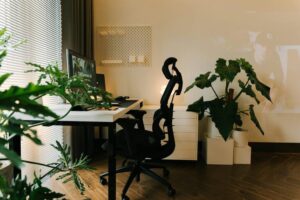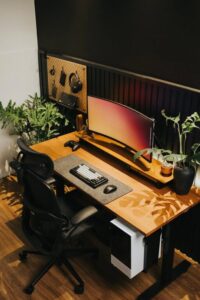
Tips for Creating a Cozy and Productive Home Office Space
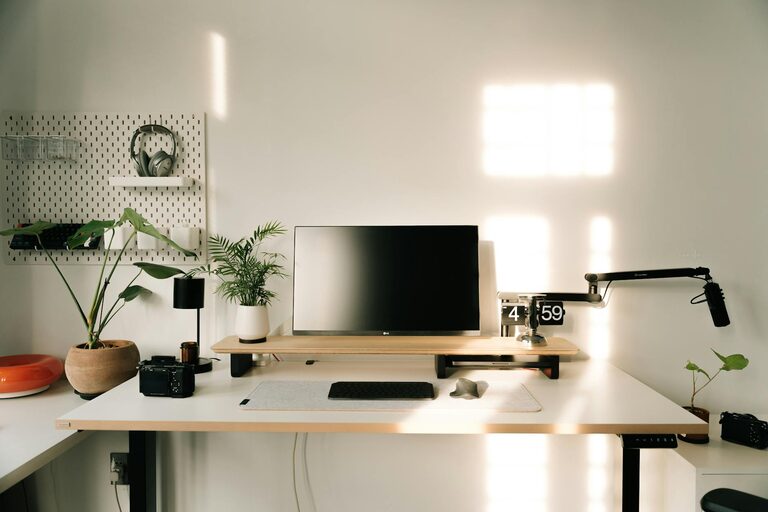
Creating a home office that is both cozy and productive can transform your daily work routine. Whether you work remotely full-time or occasionally, having a designated, comfortable space can help you focus, reduce stress, and improve your overall work experience. Here are some helpful tips to design a home office that balances comfort and efficiency.
Choose the Right Location
Selecting the right spot in your home is the first step. Ideally, your home office should be in a quiet area with minimal distractions. Consider these factors:
– Natural Light: Position your desk near a window if possible. Natural light improves mood and reduces eye strain.
– Privacy: Choose a space where you won’t be interrupted frequently, such as a spare room or a quiet corner.
– Space: Ensure there is enough room for your desk, chair, storage, and any other equipment you need.
Invest in Comfortable Furniture
Comfort is key to productivity. Investing in ergonomic furniture can help prevent discomfort and maintain focus throughout your workday.
– Ergonomic Chair: A supportive chair with adjustable height and lumbar support can reduce back pain.
– Appropriate Desk: Choose a desk that fits your space and offers enough surface area for your work essentials.
– Adjustable Accessories: Consider a monitor stand, keyboard tray, or footrest to improve posture.
Optimize Lighting
Good lighting is essential for your home office. Insufficient or harsh lighting can cause fatigue and strain your eyes.
– Use Layers of Light: Combine natural light with ambient overhead lighting and task lamps.
– Avoid Glare: Position your screen to prevent glare from windows or lights.
– Warm Light: Consider bulbs that emit warm, soft light to create a cozy atmosphere without sacrificing visibility.
Keep Your Workspace Organized
A tidy workspace helps improve focus and reduces stress. Here are some tips to keep your office uncluttered:
– Storage Solutions: Use shelves, filing cabinets, or storage boxes to keep documents and supplies organized.
– Desk Organization: Limit what you keep on your desk to essential items only.
– Daily Cleanup: Spend a few minutes at the end of each day clearing your desk.
Personalize Your Space
Adding personal touches can make your home office feel inviting and motivate you to spend time there.
– Decor: Incorporate artwork, plants, or photos that inspire you.
– Colors: Use a calming or energizing color scheme depending on your preferences.
– Comfort Items: Include cushions, a cozy blanket, or a small rug for added warmth.
Manage Noise and Distractions
Productivity depends on minimizing interruptions and noise.
– Noise-Canceling Headphones: These can help you concentrate if you can’t control the noise around you.
– Soundproofing: Consider rugs, curtains, or acoustic panels to dampen sound.
– Set Boundaries: Communicate with family or roommates about your work hours.
Incorporate Technology Wisely
Using the right technology can streamline your work and keep you productive.
– Reliable Internet: Ensure a strong and stable internet connection.
– Cable Management: Use clips or sleeves to keep cords organized and out of sight.
– Efficient Equipment: Invest in a suitable computer, printer, and other tools you frequently use.
Take Breaks and Move
Finally, remember to take regular breaks and move around to maintain focus and health.
– Stretch Breaks: Incorporate short stretches or light exercises.
– Change Positions: Use a sit-stand desk or alternate sitting and standing.
– Break Space: Have a separate spot for relaxation to help separate work from rest.
—
Creating a home office that feels both cozy and productive is all about balance. By carefully choosing your space, investing in comfortable furniture, organizing your tools, and personalizing your environment, you can build an area that encourages focus and makes your workday more enjoyable. Remember, the best setup is one that fits your unique needs and supports your well-being.